Real-time Android Capture
Live ADB logcat integration — see every Firebase event the moment it fires. No logs to dig through, no delays.
Real-time event capture for Android & iOS. Stop guessing — see exactly what Firebase is sending.
Free during early access · v0.10.1 · Windows 10+ & macOS 12+
Sound familiar?
The existing tools weren't built for the feedback loop you need when shipping fast.
By the time an event shows up in the Firebase console, you've already forgotten the exact sequence that triggered it.
Firebase events drown in thousands of system logs. Filtering is manual, fragile, and resets every session.
Charles Proxy and Proxyman need manual certificate installs, device trust steps, and proxy configs — every single time.
Everything you need
Every feature is designed around one goal: showing you what Firebase is actually doing, in real time.
Live ADB logcat integration — see every Firebase event the moment it fires. No logs to dig through, no delays.
Intercept Firebase Analytics traffic directly from your iOS device via built-in HTTPS proxy — no jailbreak required.
Pin specific parameters and watch their values update live across every event — without clicking into each one.
Chat with your events. Ask why a purchase didn't fire, what's missing, or whether your implementation matches spec.
Save any debugging session and replay it later. Share captures with your team or revisit a tricky bug without re-triggering it.
Real-time validation against official Firebase documentation. Know instantly if an event is missing required parameters.
How we compare
Built for the full debug workflow — not just a quick sanity check.
| Feature | Fyre Lens | Firebase DebugView |
|---|---|---|
| Event history | Unlimited (stored locally) | ~30 most recent events |
| Multi-device support | Select from connected devices | One device at a time |
| iOS SSL certificate setup | Built-in CA with QR code flow | Manual Xcode / simulator setup |
| Search events | Full-text including parameter values | Not available |
| Parameter Watcher | Track specific params live across events | Not available |
| GA4 event validation | Built-in with inline official docs | Not available |
| Firebase error codes | Auto-updated from official docs | Raw numeric codes only |
| AI event assistant | Chat with your captured events — ask questions, spot patterns, debug faster | Not available |
| Session archiving | Named sessions with search and date filters | Not available |
| +19 more features including QA audit reports, filter by error code, sort events, export to CSV/JSON, event notes, screenshot capture, ecommerce & conversion event detection, and more. | ||
Fyre Lens — built for deep debugging, QA audits, and team workflows across Android and iOS.
Firebase DebugView — best for quick sanity checks on a single device during development.
Simple setup
Download the installer for Windows or macOS. One-click setup — no terminal, no config files, no certificates to install manually.
Supports Windows 10+ and macOS 12 Monterey and later.
For Android, plug in via USB and enable USB debugging. For iOS, point your device proxy at Fyre Lens — it handles the certificate automatically.
Works with any app that uses the Firebase Analytics SDK.
Firebase Analytics events stream in real time, with full parameter inspection, GA4 validation, and AI analysis — all in one window.
No restarting, no log files, no guessing.
See it in action
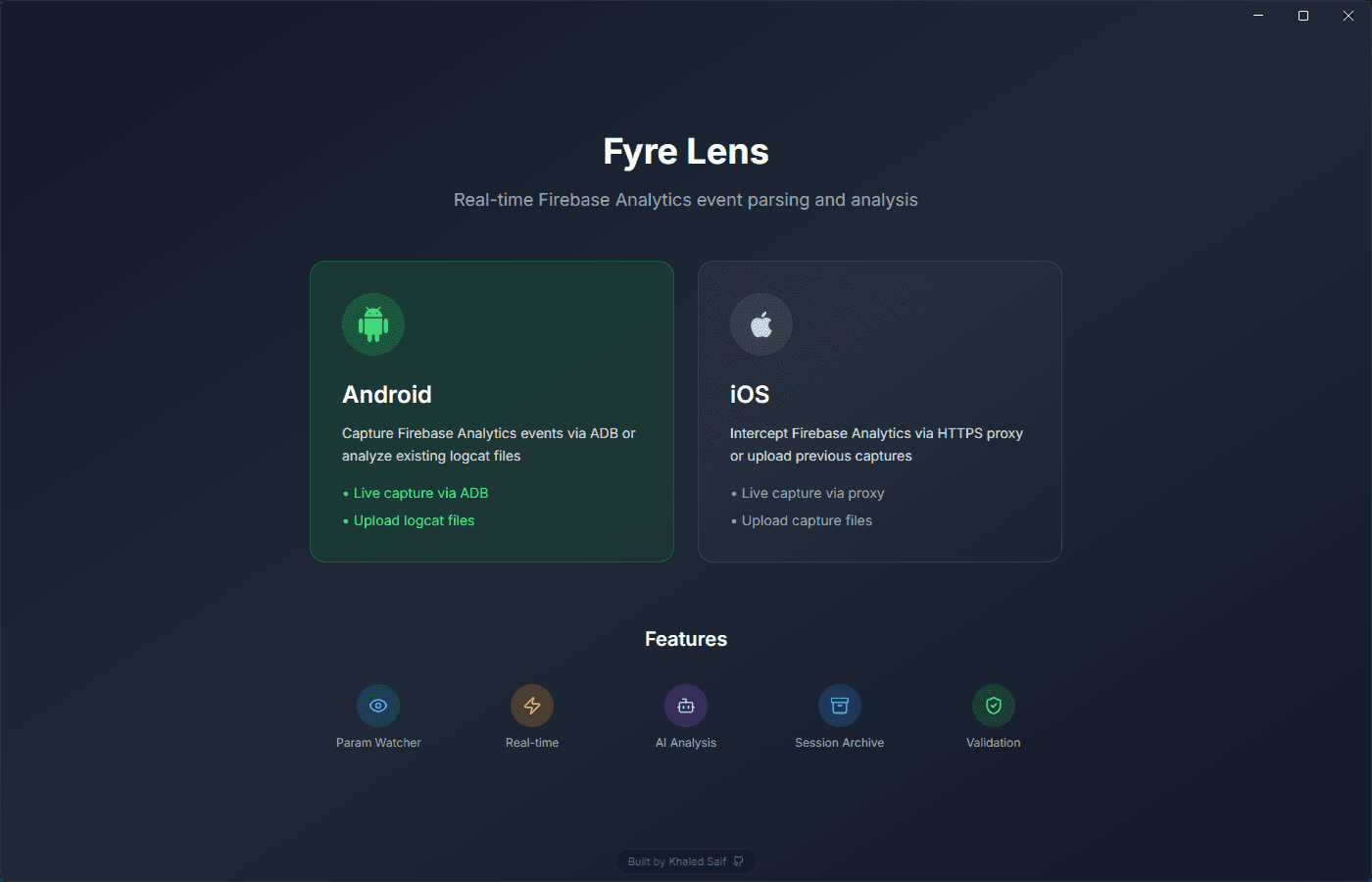
Pick your platform — connect Android via ADB or iOS via HTTPS proxy.
Pricing
Full access during early access. Pricing plans are on the way.
Free while in early access. Pricing coming once we ship more.
Get started
Free during early access. Connect your device and see events in seconds.
v0.10.1 · Windows 10+ & macOS 12+